 dkalmin
7f5fd852e3
dkalmin
7f5fd852e3
* Update readme.md

* Update valet-migrate-lab.md

* Update valet-migrate-custom-lab.md

* Update valet-migrate-custom-lab.md

* Update azure_devops/valet-migrate-lab.md

Co-authored-by: Ethan Dennis <ethanis@github.com>

* Update azure_devops/valet-migrate-custom-lab.md

Co-authored-by: Ethan Dennis <ethanis@github.com>

Co-authored-by: Ethan Dennis <ethanis@github.com>
2.6 KiB
2.6 KiB
Migrate an Azure DevOps pipeline to GitHub Actions
In this lab, you will use the Valet migrate command to migrate an Azure DevOps pipeline to GitHub Actions. The migrate subcommand can be used to convert a pipeline to its GitHub Actions equivalent and then create a pull request with the contents.
- Prerequisites
- Identify the Azure DevOps pipeline ID to use
- Perform a migration
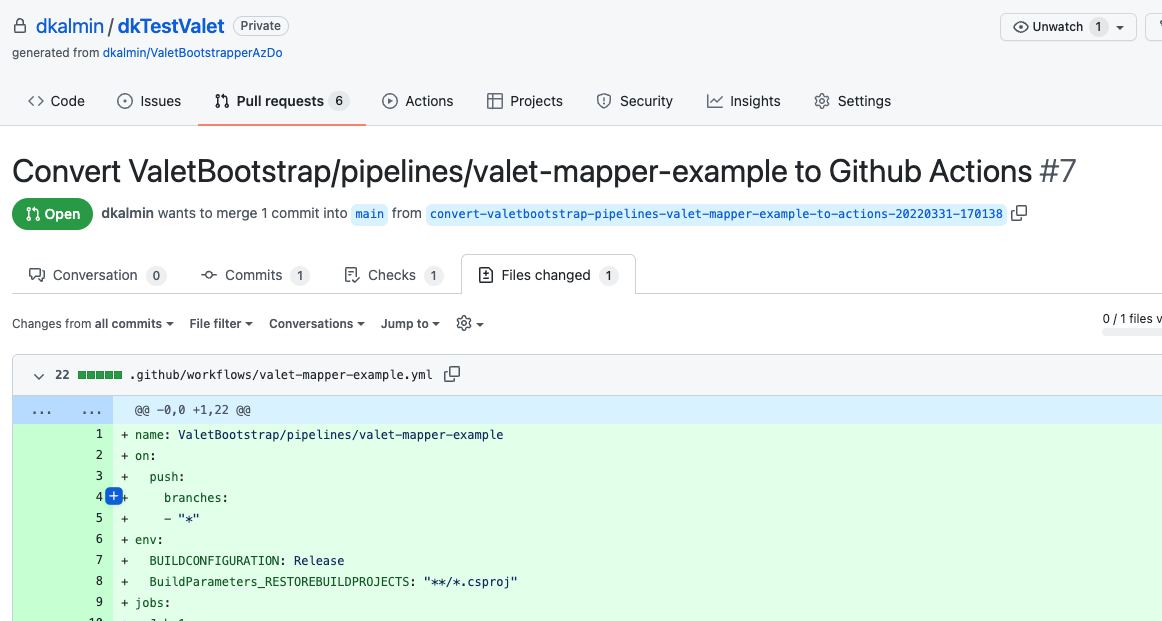
- View the pull request
- Next Lab
Prerequisites
- Follow all steps here to set up your environment
- Create or start a codespace in this repository (if not started)
- Completed the Valet audit lab.
Identify the Azure DevOps pipeline ID to use
You will need a pipeline ID to perform the migration
- Go to the
valet/ValetBootstrap/pipelinesfolder - Open the
valet/ValetBootstrap/pipelines/valet-pipeline1.config.jsonfile - Look for the
web - hreflink - At the end of the link is the pipeline ID. Copy or note the ID.
Example

Perform a migration
You will use the codespace preconfigured in this repository to perform the migration.
- Navigate to the codespace Visual Studio Code terminal
- Verify you are in the valet directory
- Copy the following command and replace:
GITHUB-ORGwith the name of your organization.GITHUB-REPOwith the name of your repository.PIPELINE-IDwith your pipeline ID.
- Run
gh valet migratefrom thevaletdirectory to migrate the pipeline to GitHub Actions..
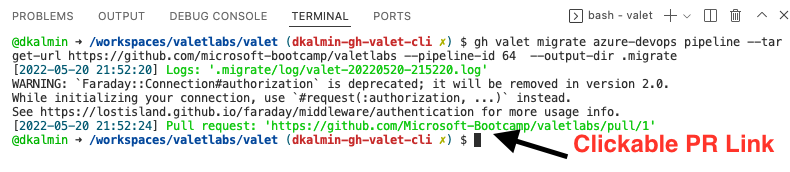
gh valet migrate azure-devops pipeline --target-url https://github.com/GITHUB-ORG/GITHUB-REPO --pipeline-id PIPELINE-ID --output-dir migrate
Example

- Valet will create a pull request directly to your GitHub repository.
- Click the green pull request link in the output of the migrate command. See below.
Example
View the pull request
The migrate output will show you the pull request on GitHub.
Example
Next Lab
Migrate an Azure DevOps pipeline to GitHub Actions with a custom transformer