
7.7 KiB
Audit Jenkins pipelines using the Valet audit command
In this lab, you will use Valet to audit a Jenkins organization. The audit command can be used to scan a CI server and output a summary of the current pipelines.
What happens behind the scenes is that Valet will perform a dry-run on each of the Jenkins pipelines. Once that is complete, Valet will perform an aggregation of all of the transformed workflows. This aggregate summary can be used as a planning tool and help understand how complete of a migration is possible with Valet.
By the end of this lab you will have performed an audit on the demo Jenkins instance, and have a good understanding of the components that make up an audit.
Prerequisites
- Followed the steps here to set up your Codespace environment and start a Jenkins server.
- Completed the configure lab to configure the Valet CLI.
Perform an audit
We will be performing an audit against a preconfigured Jenkins instance. Before running the command we need to collect some information:
- Do we want to audit the entire Jenkins instance, or just a single folder? In this example we will be auditing the entire Jenkins instance, but in the future if you wanted to configure a specific folder to be audited add the
-f <folder_path>flag to the audit command - Where do we want to store the result? ./tmp/audit. This can be any valid path on the system. In the case of codespaces it is generally best to use
./tmp/SOME_DIRECTORY_HEREso the files show in explorer
Steps
- Navigate to the codespace terminal.
- Now, from root directory, run the following Valet audit command:
gh valet audit jenkins --output-dir tmp/audit
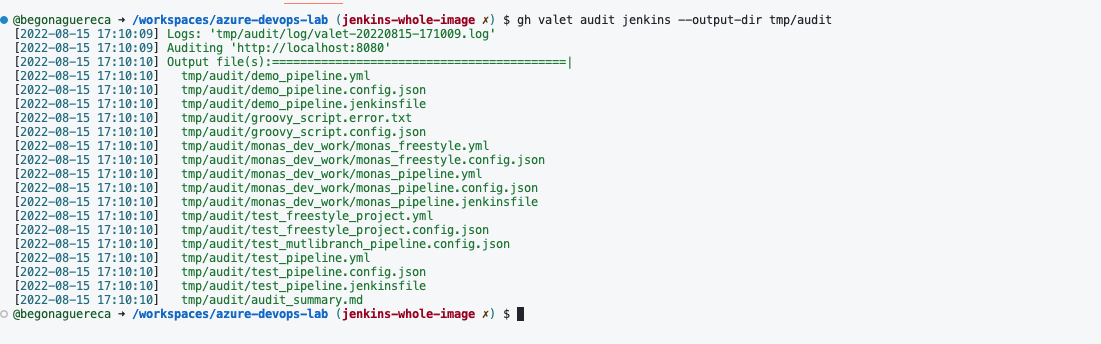
- Valet will log the output files in green when the audit is successful
Example
View audit output
The audit summary, logs, config files, jenkinsfiles, and transformed Actions Workflows should all be located within the tmp/audit folder.
- Under the
auditfolder find theaudit_summary.md - Right-click the
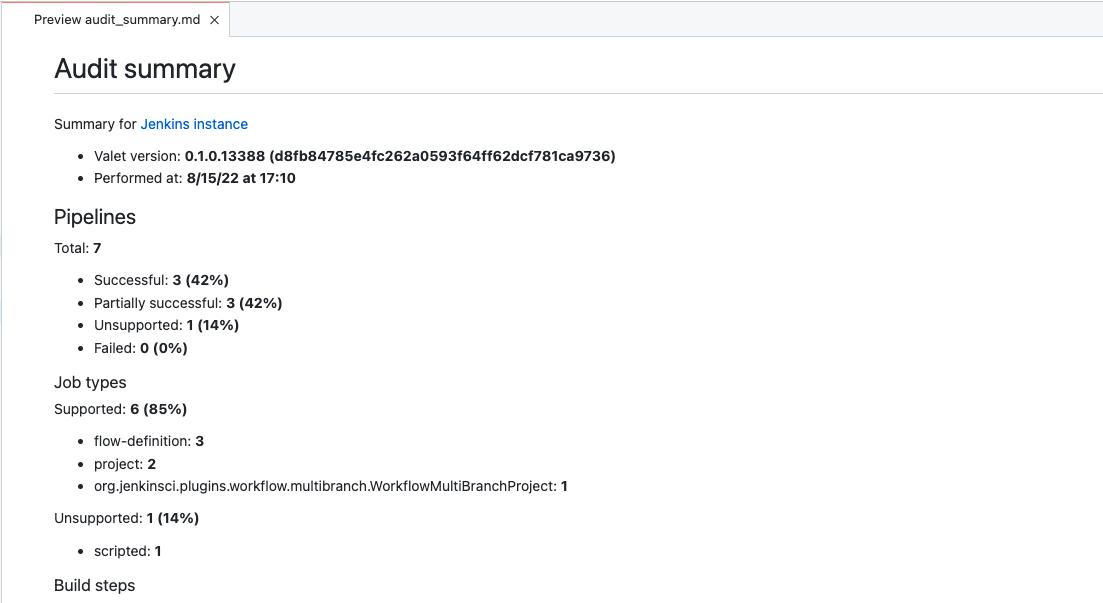
audit_summary.mdfile and selectOpen Preview - The file contains details about your current pipelines and what can be migrated 100% automatically vs. what will need some manual intervention or aren't supported by GitHub Actions.
- Review the file, it should look like the image below:
Example
Review the pipelines
Pipelines
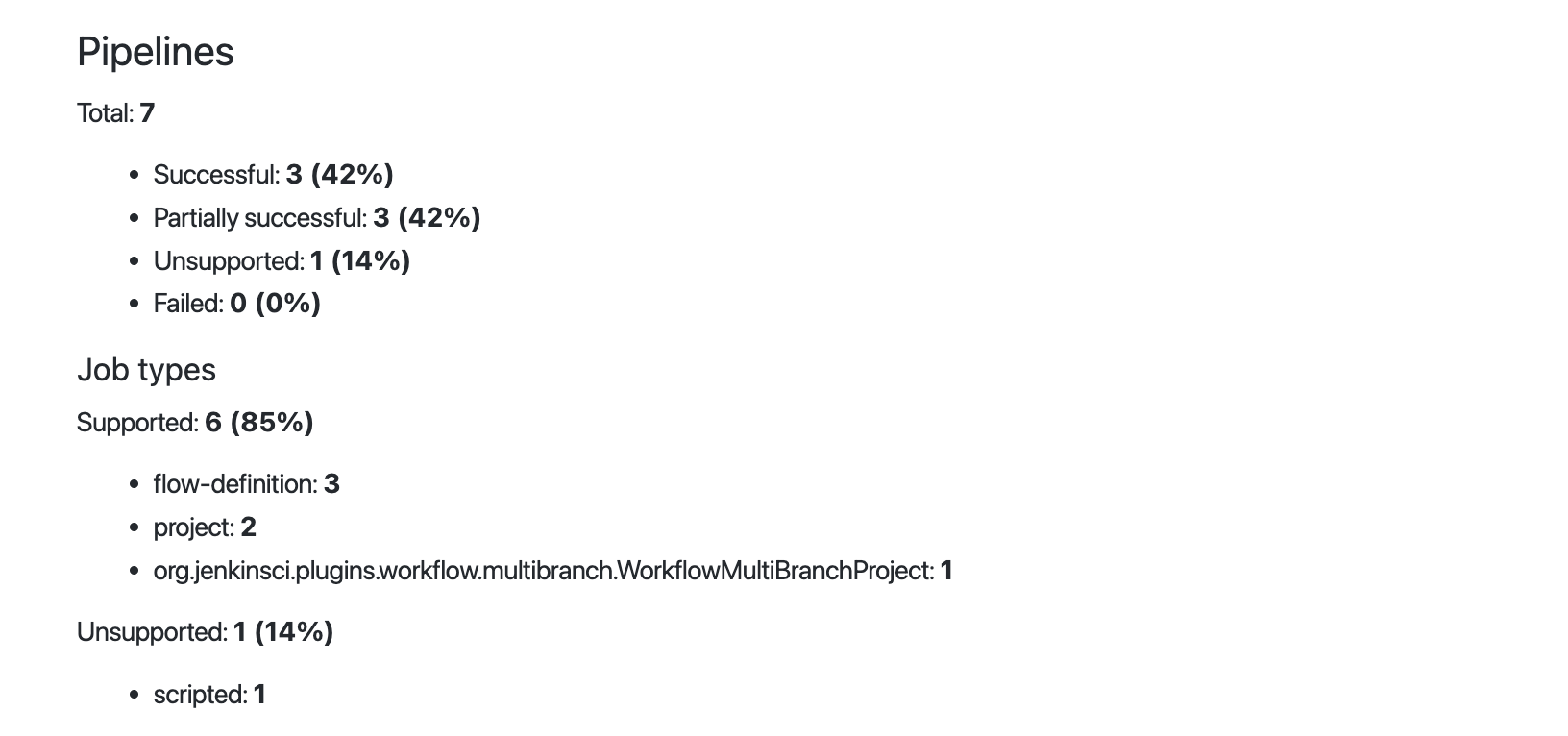
The audit summary starts by giving a summary of the types of pipelines that were extracted from Jenkins.
-
It shows that there are a total of 7 pipelines extracted.
-
42% pipelines were successful. This means that Valet knew how to map all the constructs of the Jenkins pipeline to a GitHub Actions equivalent. All of the build plugins and triggers that are referenced were all successfully converted into a GitHub Actions equivalent.
-
42% pipelines were partially successful. This means that Valet knew how to map all the constructs of the Jenkins pipeline but there may be a plugin that was referenced that Valet wasn't able to automatically map to a Github Actions equivalent.
-
1% of these pipelines were unsupported. This means that the pipeline type is fundamentally unsupported by Valet. This is most likely a Jenkins scripted pipeline.
-
0% of these fail altogether. If there were any pipelines that would fall under this category, that would mean that those pipelines were misconfigured or there was an issue with Valet.
Under the Job types section, we can see that the audit command is able to support the conversion of project, freestyle (flow-definition), and multibranch pipelines from Jenkins and convert them to a GitHub Actions workflow. Valet does not support converting scripted pipelines (e.g. pure Groovy).
Example
Build steps
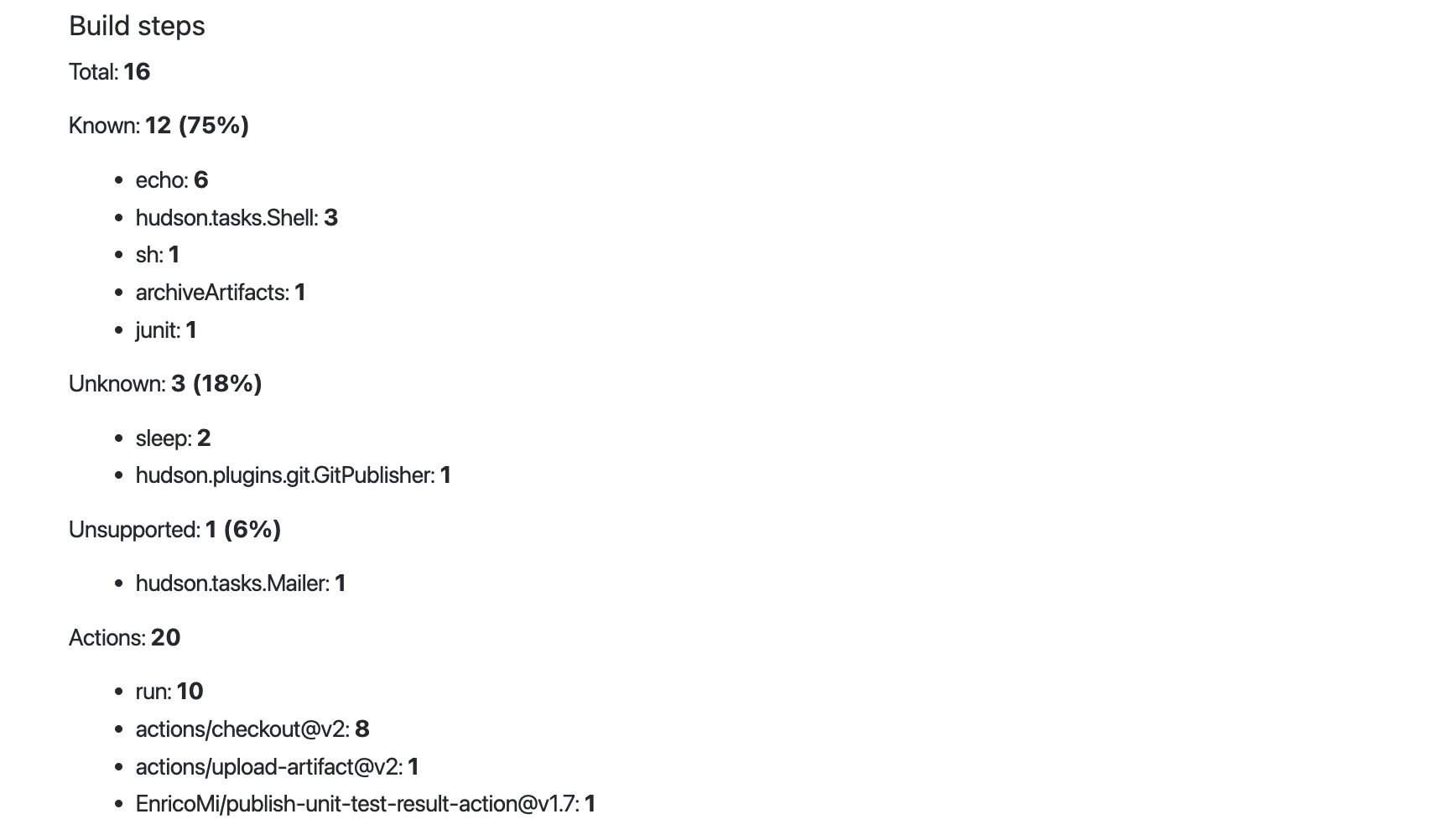
Under the Build steps section we can see a breakdown of the build steps that were used in these pipelines.
- Supported: 12/16 discrete build steps are considered known by Valet. When Valet encounters a build step of this type, it knows exactly how to map that into a GitHub Actions equivalent.
- Unknown: 3/16 discrete build steps are considered unknown by Valet. When Valet encounters a build step of this type, it does not yet know to map this automatically to a GitHub Action equivalent.
- Unsupported: 1/16 discrete build steps are considered unsupported by Valet. This could mean one of three things:
- The way that plugin was configured for a given job is unsupported.
- The plugin itself is fundamentally not supported in GitHub Actions.
- It's supported by default in GitHub Actions.
Under the Actions section we have the list of the Actions that were used in order to implement the transformation of all of these build steps. Valet is a planning tool that can help in facilitating the migration into GitHub Actions and this list of Actions is a great place to understand what dependencies you would be taking on third-party Actions after this migration.
For example, if you are doing things like setting up the allow list of third-party Actions in a GitHub Enterprise server instance this list of Actions is a fantastic place to begin security reviews and audits of what third-party actions to depend on.
Example
Trigger, Environment, Other
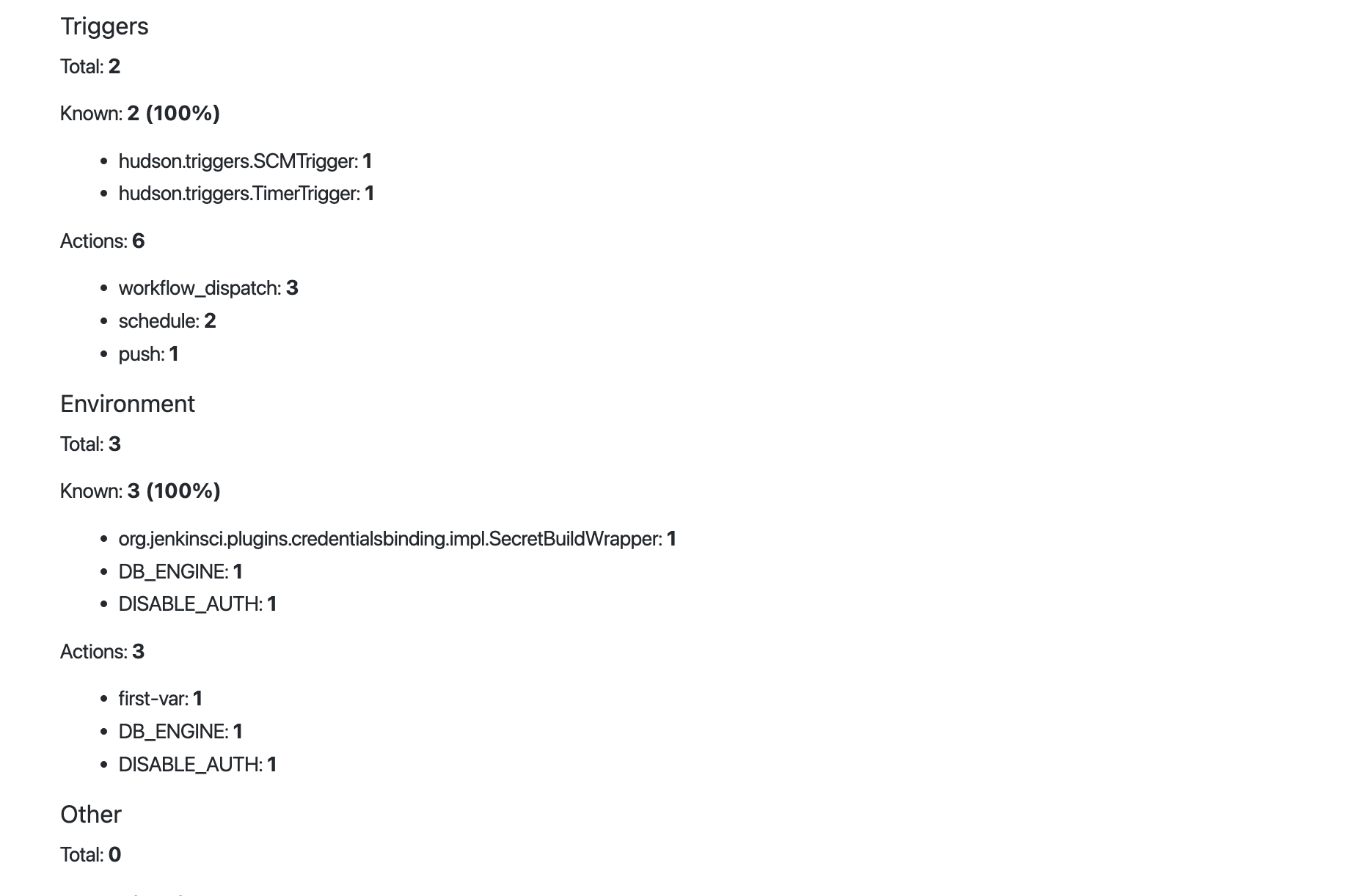
Similar to Build steps, there are Trigger, Environment, and a catch all Other section that breakdown each of their uses across the audited pipelines.
Example
Manual Tasks
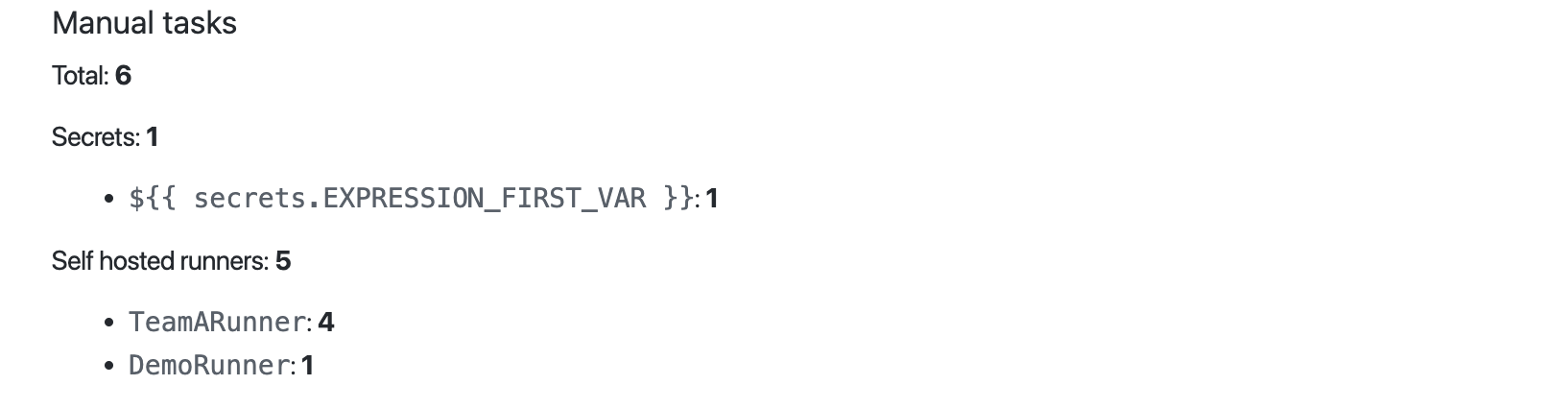
Under the Manual task section you will find a list of all the manual tasks that the pipelines would surface in a migration. Manual tasks are Valet's way of indicating tasks a user needs to do in order for a pipeline to be functional, such as adding secrets, or setting up a self-hosted runner. We will see how these manual tasks appear on a pull request when we do a migration in a lab later on.
Example
Files
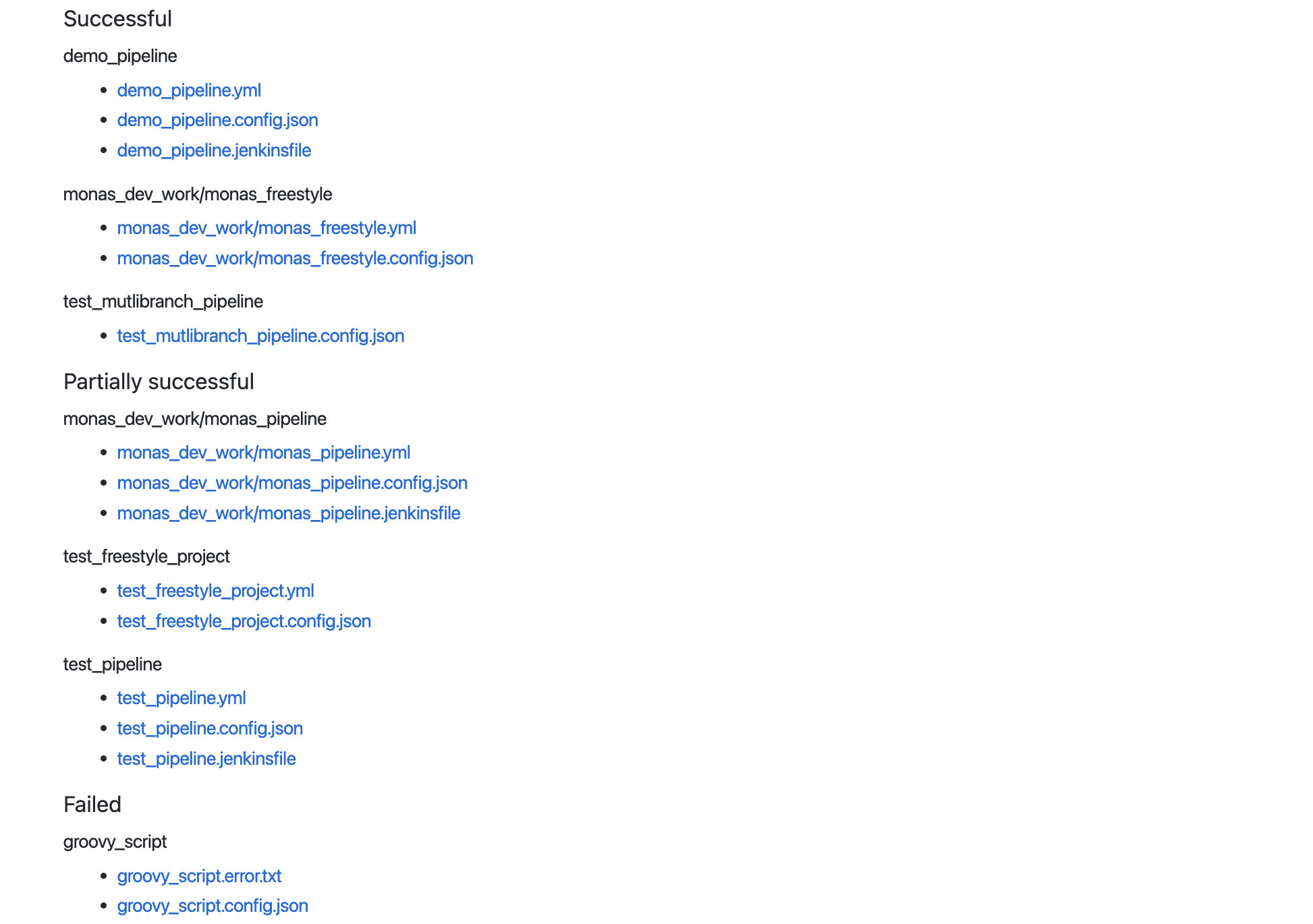
At the end of the Audit Summary page you will find a list of all of the files that were written to disk. Generally, for any given pipeline, you’ll find 2 or 3 associated files. In these files are the actual converted GitHub Actions workflows.
In addition, you’ll see a file that shows the raw JSON data that we pull from Jenkins as well as any associated Jenkinsfiles for a given job. These files are really useful for engineering teams to help debug any issues and to understand what may have gone on in a transformation.
Example
Next Lab
Dry-run the migration of a Jenkins pipeline to GitHub Actions