2.2 KiB
2.2 KiB
Dry run the migration of an Azure DevOps pipeline to GitHub Actions
In this lab, you will use the valet dry-run command to convert an Azure DevOps pipeline to it's equivalent GitHub Actions workflow and write the workflow to your local filesystem.
- Prerequisites
- Identify the Azure DevOps pipeline ID to use
- Perform a dry run
- View dry-run output
- Next Lab
Prerequisites
- Follow all steps here to set up your environment
- Create or start a codespace in this repository (if not started)
- You have completed the Valet audit lab.
Identify the Azure DevOps pipeline ID to use
You will need a pipeline ID to perform the dry run
- Go to the
valet/ValetBootstrap/pipelinesfolder - Open the
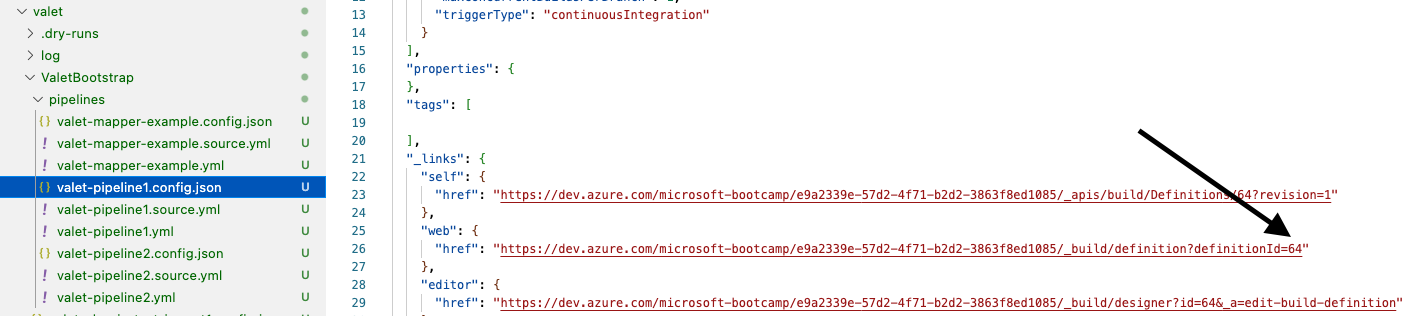
valet/ValetBootstrap/pipelines/valet-pipeline1.config.jsonfile - Look for the
$.web.hreflink - At the end of the link is the pipeline ID. Copy or note the ID.
Example
Perform a dry run
You will use the codespace preconfigured in this repository to perform the dry run.
- Navigate to the codespace Visual Studio Code terminal
- Verify you are in the
valetdirectory
gh valet dry-run azure-devops pipeline --pipeline-id PIPELINE-ID --output-dir dry-run
- Now, from the
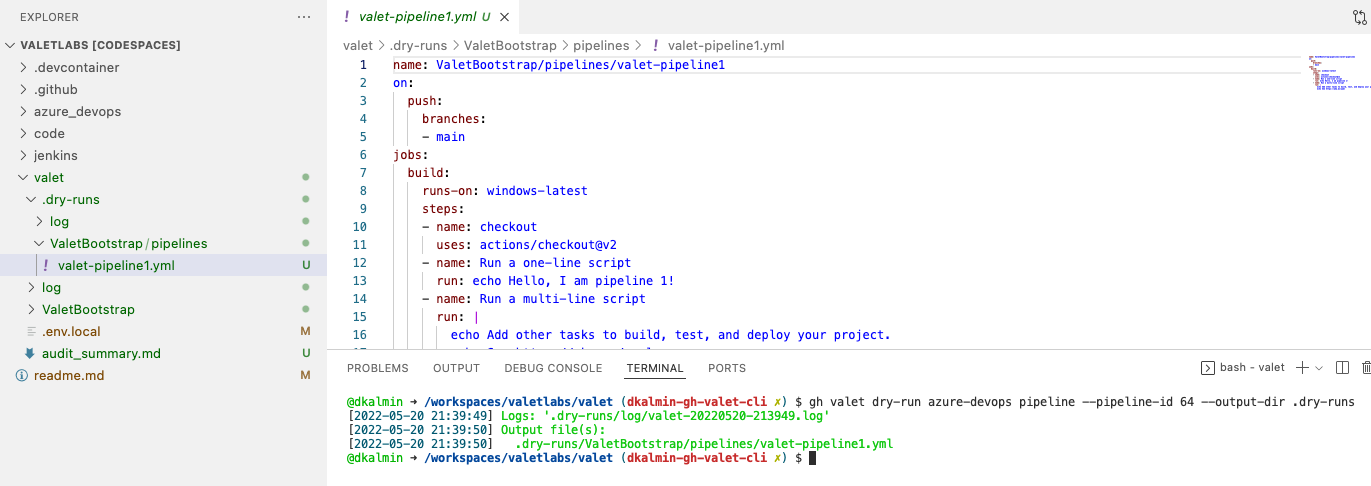
valetfolder in your repository, rungh valet dry-runto see the output:
Example

- Valet will create a folder called
dry-runsunder thevaletfolder that shows what will be migrated.
Example
View dry-run output
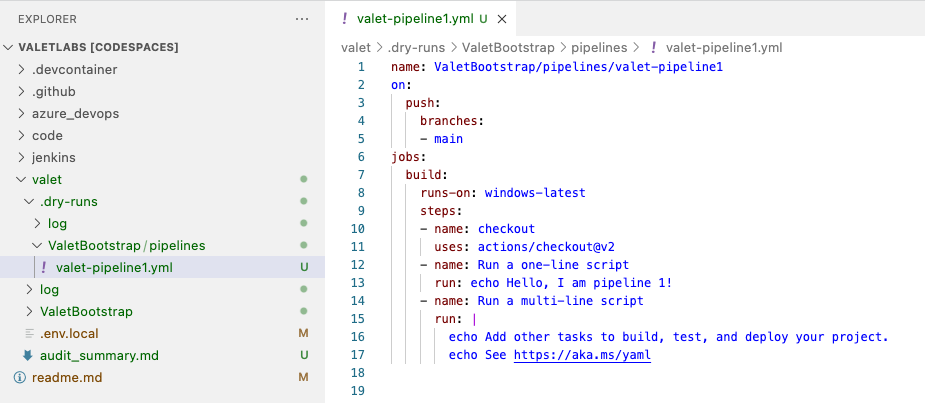
The dry-run output will show you the GitHub Actions yml that will be migrated to GitHub.
Example