2022-05-10 14:32:07 -07:00
# Audit Azure DevOps pipelines using the Valet audit command
2022-05-25 10:57:51 -07:00
In this lab, you will use Valet to `audit` an Azure DevOps organization. The `audit` command can be used to scan a CI server and output a summary of the current pipelines. This summary can then be used to plan the timeline and effort required to migrate to GitHub Actions.
- [Prerequisites ](#prerequisites )
- [Perform an audit ](#perform-an-audit )
- [View audit output ](#view-audit-output )
- [Review the pipelines ](#review-the-pipelines )
2022-05-10 14:32:07 -07:00
## Prerequisites
1. Follow all steps [here ](/labs/azure_devops#readme ) to set up your environment
2. Create or start a codespace in this repository (if not started)
2022-05-25 10:57:51 -07:00
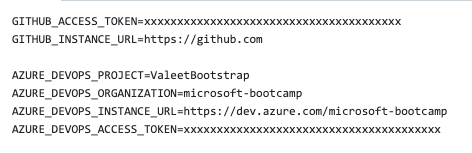
3. Verify or add the following values to the `valet/.env.local` file. All values were created [here ](/labs/azure_devops#readme )
```
GITHUB_ACCESS_TOKEN=<GithHub PAT generated>
GITHUB_INSTANCE_URL=https://github.com/
AZURE_DEVOPS_PROJECT=<Project identified>
AZURE_DEVOPS_ORGANIZATION=<Org identified>
AZURE_DEVOPS_INSTANCE_URL=<DevOps instance>
AZURE_DEVOPS_ACCESS_TOKEN=<Token Generated>
```
### Example ###
2022-05-10 14:32:07 -07:00
## Perform an audit
You will use the codespace preconfigured in this repository to perform the audit.
1. Navigate to the codespace Visual Studio Code terminal
2022-05-25 10:57:51 -07:00
2. Verify you are in the `valet` directory
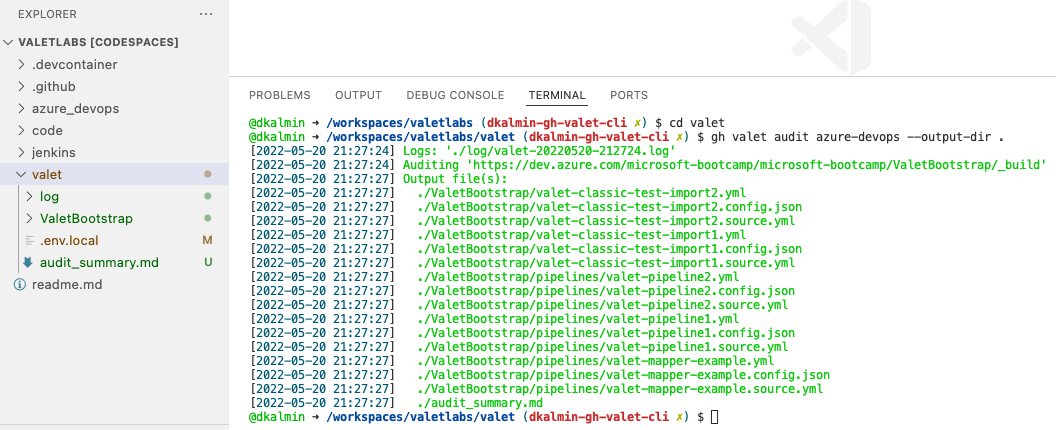
3. Now, from the `valet` folder in your repository, run Valet to verify your Azure DevOps configuration:
2022-05-10 14:32:07 -07:00
```
2022-06-10 20:31:36 +00:00
gh valet audit azure-devops --output-dir audit
2022-05-10 14:32:07 -07:00
```
### Example
2022-05-25 10:57:51 -07:00

2022-05-10 14:32:07 -07:00
4. Valet displays green log files to indicate a successful audit
### Example
2022-05-25 10:57:51 -07:00
2022-05-10 14:32:07 -07:00
## View audit output
2022-05-25 10:57:51 -07:00
The audit summary, logs, Azure DevOps yml, and GitHub yml should all be located in the `valet` folder.
2022-05-10 14:32:07 -07:00
2022-05-25 10:57:51 -07:00
1. Under the `valet` folder find the `audit_summary.md`
2. Right-click the `audit_summary.md` file and select `Open Preview`
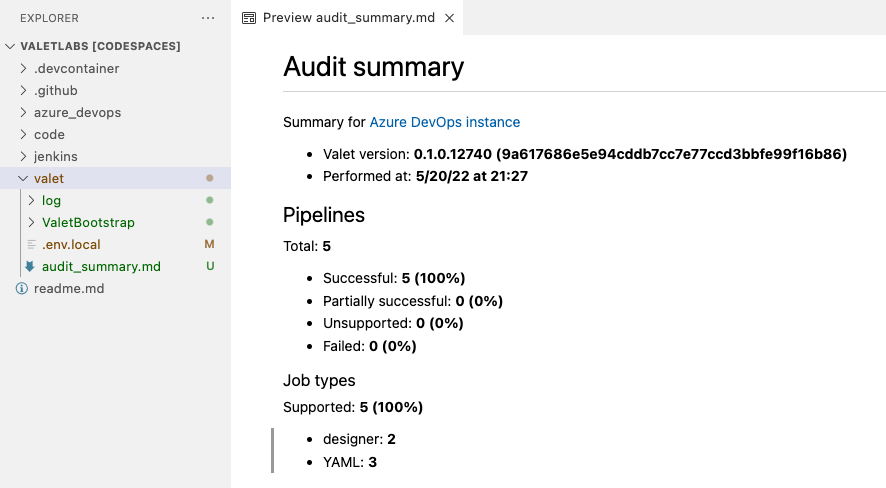
3. The file contains details about your current pipelines and what can be migrated 100% automatically vs. what will need some manual intervention or aren't supported by GitHub Actions.
2022-05-10 14:32:07 -07:00
4. Review the file.
### Example
2022-05-25 10:57:51 -07:00
2022-05-10 14:32:07 -07:00
## Review the pipelines
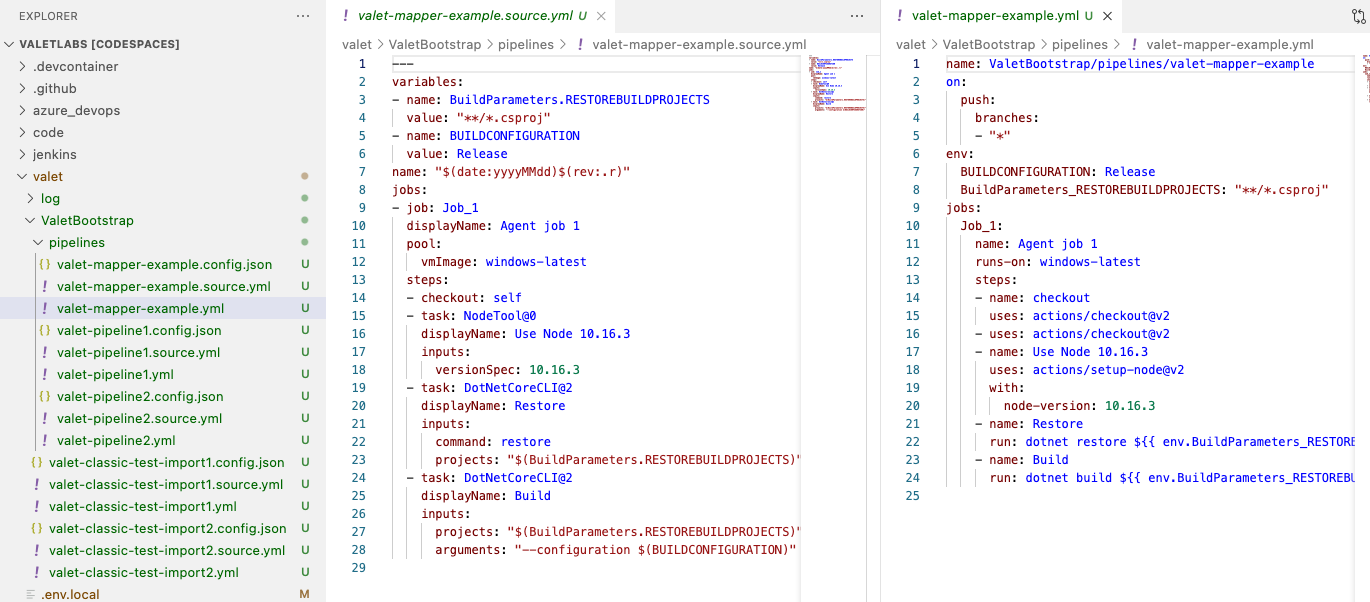
The `audit` command grabs the yml, classic, and release pipelines from Azure DevOps and converts them to GitHub Actions.
### Example
View the source yml and the proposed GitHub yml
2022-05-25 10:57:51 -07:00